
Lumens LC100
Planned: recording, streaming, layouts and audio of a Lumens LC100 media processor from any RTI panel.
Overview
Coming soon. This driver is on our roadmap. It will control a Lumens LC100 CaptureVision media processor — and the LC100N and LC100A, which share its command set — over TCP or RS-232, so a lecturer can run a recorded or streamed lecture from an RTI panel without touching the box.
Recording destinations, stream addresses and schedules stay in the LC100’s own web page. If you have a project waiting for this driver, write to us — knowing your room helps us decide what comes first.
What it will do

Record, pause, stop — and see it happen
The driver will start, pause, resume and stop recording from the lectern panel, add chapter markers and take snapshots. The LC100 reports its recording state on its own, so the panel will show Recording, Paused or Stopped the moment it changes.
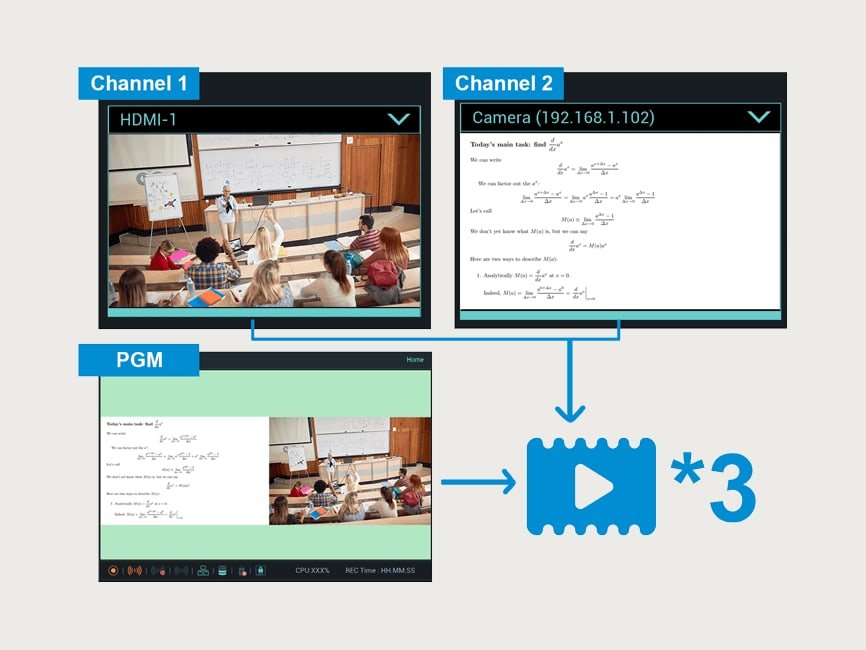
Three streams, ready-made scenes
Planned on Lumens’ RS-232/TCP command set: each of the three live streams on and off, layouts, scenes, backgrounds and overlays, swapping the two channels, each channel’s source (HDMI, SDI, USB or an IP camera) and the intermission screen.

Microphones and cameras from the same panel
The driver will set volume and mute for every input and output, switch phantom power for the XLR microphones and drive the Lumens PTZ cameras on both channels: presets, pan, tilt, zoom and auto-tracking on or off. Standby and wake-up round it off.
Coming soon
This driver is on our roadmap and is not available yet. Write to us and we will let you know as soon as it is ready — and tell us what you need it to do.
Notify me